The WooCommerce Reports You’ve Always Needed — Now Built Into Your Store
If you run a WooCommerce store, you already know the frustration: your WooCommerce reports show sales, Google Analytics shows traffic, and the WooCommerce app on your phone shows orders — but none of them answer the question that actually matters:
This product has 1,000 views and only sold once — why?
Most WooCommerce store owners never get a real answer. Not because they don’t care, but because the tools they rely on were never built to connect these dots.
Until now.
What’s Wrong With WooCommerce Reports Today
Here’s the honest truth about WooCommerce reports: they show you what sold. That’s it. No context, no traffic data, no explanation for why one product converts and another doesn’t.
The WooCommerce app gives you a quick glance at orders on the go — but it’s a rearview mirror, not a compass. And the WooCommerce REST API reports? Largely deprecated, showing zeros for many stores.
So you end up with:
- WooCommerce reports for sales numbers
- Google Analytics for traffic
- The WooCommerce app for a quick order count
- Zero tools to connect them all
You’re stitching together three dashboards, making guesses, and hoping your next tweak moves the needle.
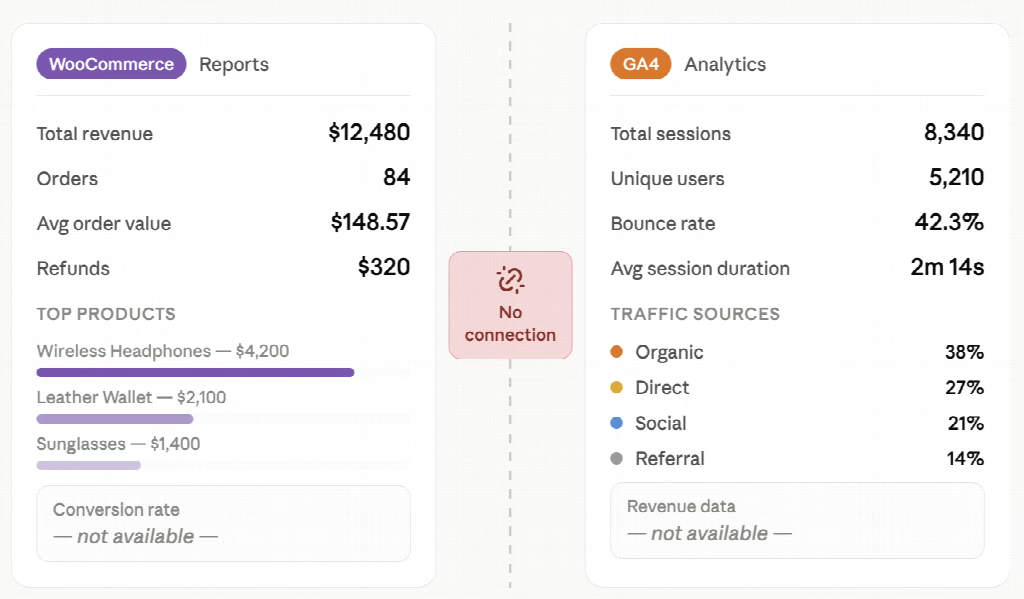
That’s not analytics. That’s noise.
Introducing Hippoo BI: WooCommerce Reports, Reimagined
Hippoo WooCommerce app BI is a native analytics module built directly inside the Hippoo plugin. No extra installs. No third-party integrations. No data leaving your site.
It does something WooCommerce reports and the WooCommerce app were never designed to do: connect your traffic data and your sales data in one place — and turn that combination into clear, actionable insight.
What You Actually Get
One Dashboard. The Full Picture.
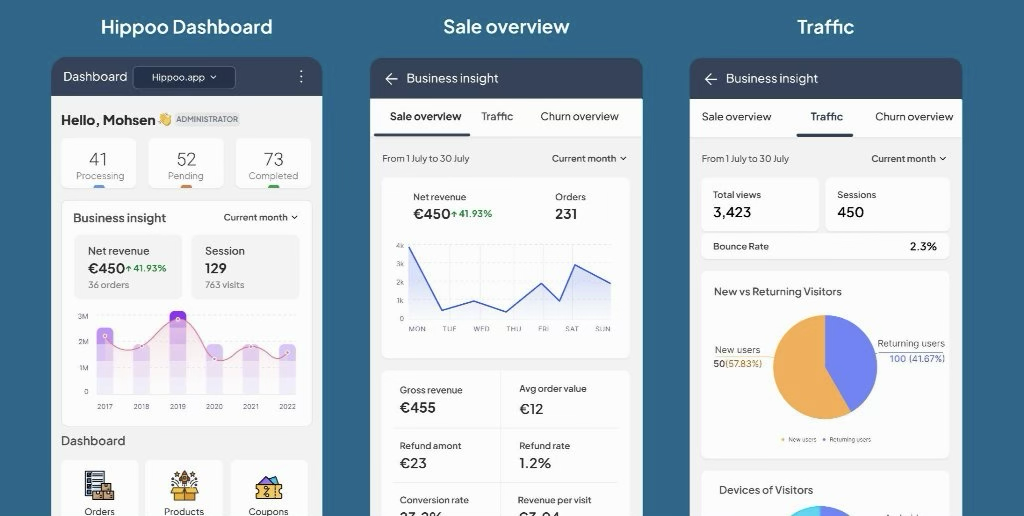
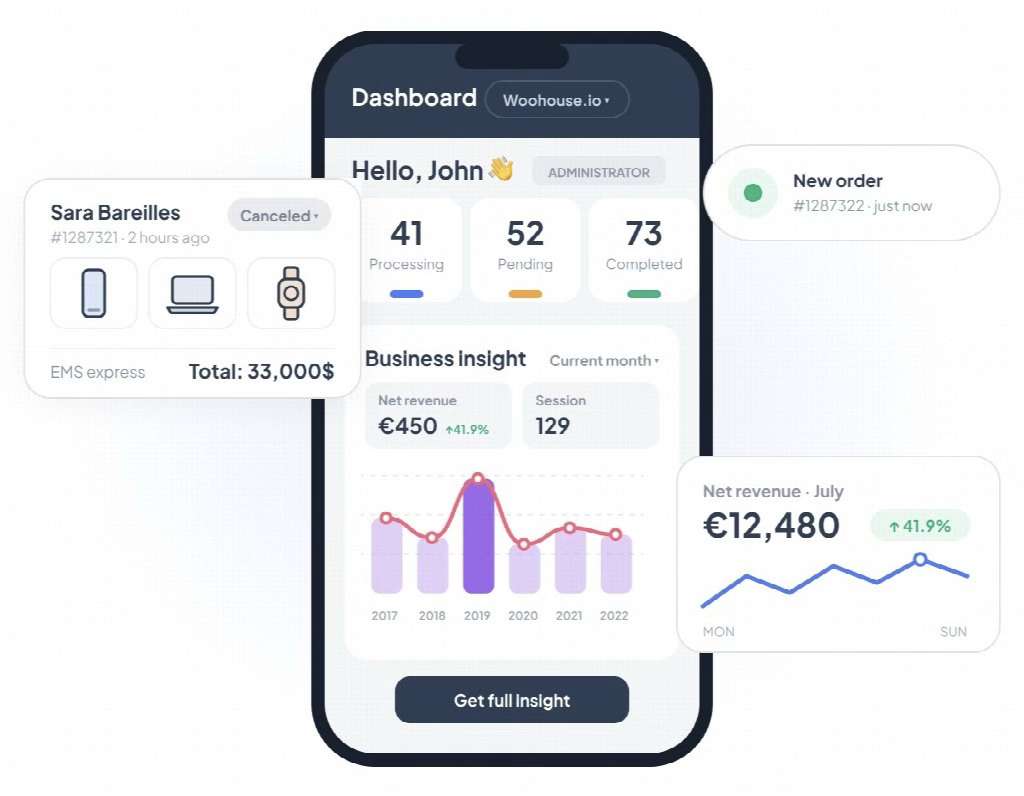
The moment you open Hippoo BI, you see a real WooCommerce report — one that actually makes sense:
- Net revenue with period-over-period comparison
- Conversion rate (real orders ÷ real sessions)
- Average order value
- Revenue per visit
- New vs. returning customers
- A combined chart showing traffic and revenue together
Everything the WooCommerce app and WooCommerce reports give you separately — finally in one view.
Product Intelligence: The WooCommerce Report Your Products Deserve
This is what sets Hippoo BI apart from any WooCommerce report you’ve used before.
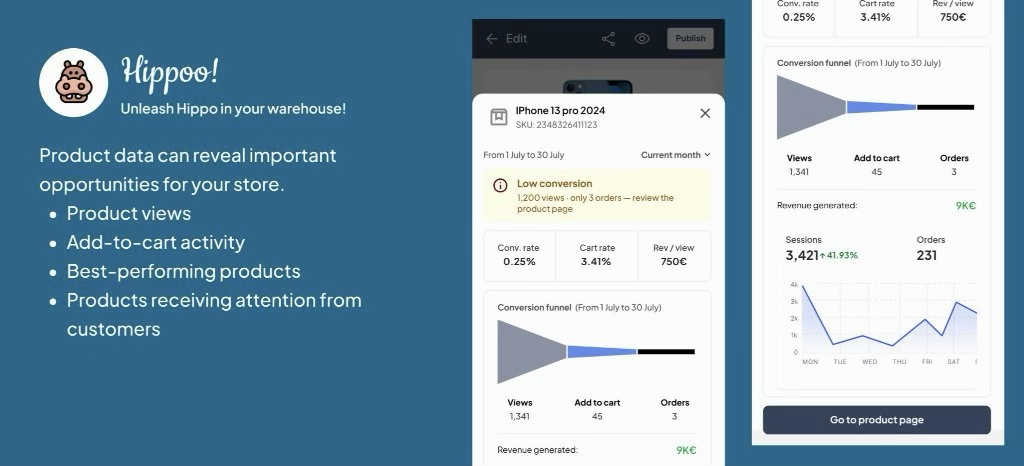
For every product in your WooCommerce store, Hippoo automatically calculates:
- How many people visited the product page
- How many added it to cart
- How many actually bought it
- Revenue generated per visit
Then it goes one step further — it tags each product automatically with an insight, so you don’t have to interpret the numbers yourself:
| Tag | What It Means |
| 🔴 High Traffic, Low Conversion | 1,200 visits. 3 sales. Something on this page is killing the deal. |
| 💎 Hidden Gem | Low traffic but exceptional conversion — this product needs more exposure. |
| ⚠️ Cart Drop | People add to cart but don’t check out — your checkout might have a problem. |
| ✅ Strong Performer | This is working. Replicate the formula elsewhere. |
| ⛔ Dead Product | Traffic exists, zero sales. Time to rethink this listing. |
No WooCommerce report shows you this. No WooCommerce app notification tells you this. Hippoo does it automatically.
Churn Detection: The Report WooCommerce Forgot to Build
Acquiring a new customer costs 5x more than keeping an existing one. Yet WooCommerce reports have no concept of churn — no way to tell you which customers are quietly drifting away before they’re already gone.
Hippoo BI tracks every WooCommerce customer’s purchase behavior and assigns a Churn Score — recalculated automatically every night.
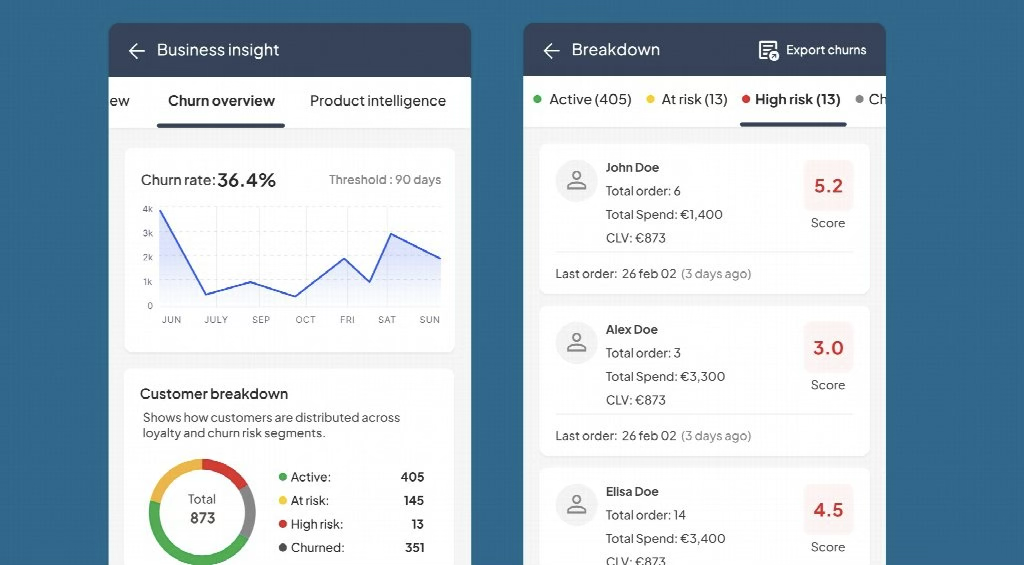
- 🟢 Active — No action needed
- 🟡 At Risk — Time for a reminder or a discount
- 🟠 High Risk — Reach out directly
- 🔴 Churned — Launch a win-back campaign
Export the full list to CSV and plug it straight into your email marketing tool. This is the WooCommerce customer report that should have existed from day one.
Built for Speed. Built for Privacy.
Unlike many WooCommerce analytics plugins, Hippoo BI was designed with one hard constraint: it should never slow down your store.
- Tracking uses sendBeacon — fully async, zero impact on page load
- Heavy calculations run on a nightly cron, not on every WooCommerce request
- Results are intelligently cached — no Redis required
- IP addresses are never stored — only country codes
- Data is auto-pruned after 13 months
Fast for your visitors. Lightweight for your server. Compliant for peace of mind.
WooCommerce Reports vs. WooCommerce App vs. Hippoo BI
| Feature | WooCommerce Reports | WooCommerce App | Hippoo BI |
| Sales data | ✅ | ✅ | ✅ |
| Traffic data | ❌ | ❌ | ✅ |
| Product-level conversion | ❌ | ❌ | ✅ |
| Automatic product insights | ❌ | ❌ | ✅ |
| Churn detection | ❌ | ❌ | ✅ |
| No extra plugins needed | ✅ | ✅ | ✅ |
| Combined traffic + revenue chart | ❌ | ❌ | ✅ |
The WooCommerce Report You’ve Been Missing
WooCommerce reports tell you what happened. The WooCommerce app tells you it happened. Hippoo BI tells you why it happened — and what to do next.
Whether you’re trying to fix a product page that isn’t converting, catch customers before they churn, or find your hidden gems and promote them properly — the answers are already inside your WooCommerce data.
Hippoo BI just makes them visible.
Hippoo BI is built into the Hippoo plugin. Works with any WooCommerce store — no additional setup required.